
Welcome to Clariti
What does that mean?
Are you tired of seeing spoilers for your favourite TV shows? Fed up of stories about a president or a billionaire? What about football or some other sport you don't care about? How about a particular musician? Add phrases to Clariti, and it'll block images, links and news articles about them in Safari.
How does it do that?!
We supply a set of rules that locate content on a web page, and you supply the words and phrases you don't want to see. Clariti combines them and applies them to the web pages you visit in Safari. Just launch the app and add some phrases to get started. The content blocking framework in iOS/iPadOS applies these rules and automatically hides that content.
Is it private?
Absolutely! Clariti cannot see what websites you visit. Privacy is built right into the content blocking framework in Safari, so Clariti simply cannot see what page you're on, and it never 'phones home'.
Clariti features:
- Regularly updated content blocking rules
- Multiple profiles allowing thousands of phrases!
- Whitelists - add sites to the whitelist so Clariti doesn't adversely affect them
- If Clariti causes a problem on a site, you can report it to us very easily. Tap the share action button in Safari, and report the site to us. We'll do our best to fix the blocklists.
Is it free?
Yes, but the free version is limited to three (3) phrases in one profile. There is an in-app purchase if you want to unlock the ability to add thousands of phrases and multiple profiles. The in-app purchase is a one-time payment; it is not a subscription.
How do I use it?
Welcome!
Thanks for using Clariti - Making your experience of the web better by hiding the stuff you just don't want to see!

What does Clariti do?
Clariti is a content blocker for Safari that uses words and phrases you supply to block stories, images and links on web pages so you don't see them. If you're tired of seeing stories about football, or a certain president, politician, or billionaire, put their names on the list and Clariti will try to hide stories and images with that text in. Clariti never sees which web pages you're visiting; your browsing is private, as it should be.
Can Clariti Block Everything?
Clariti can only block what it's told to block, and that's based on the blocklists we provide, and the words and phrases you supply. It comes with rules to block content on most websites, but there are so many websites and so many ways of creating web pages that it won't catch everything. In some cases it may block an image but leave a piece of text, or vice versa. We update the blocklists as often as we can; you just need to check for updates in the app so you'll always get the latest version.
Whitelisting Sites
If you don't want to block content on a specific website just tap the share action button in Safari, tap Clariti, then tap the Add button to add the site to the 'whitelist'. Repeat the step and tap Remove to remove the site from the whitelist, or open the app and remove it from the list of sites. Content is not blocked on pages within whitelisted sites.

Report a Problem
If you find some content isn't being blocked or Clariti is causing an issue on a website you can anonymously report a problem to us. Just tap the share action button in Safari, tap Clariti, then tap to report the problem. It's completely anonymous.
Please note: text itself cannot be blocked; just links and images where the descriptive text contains your words and phrases. Clariti can't simply remove words from a sentence; no content blocker can do that.
Setup
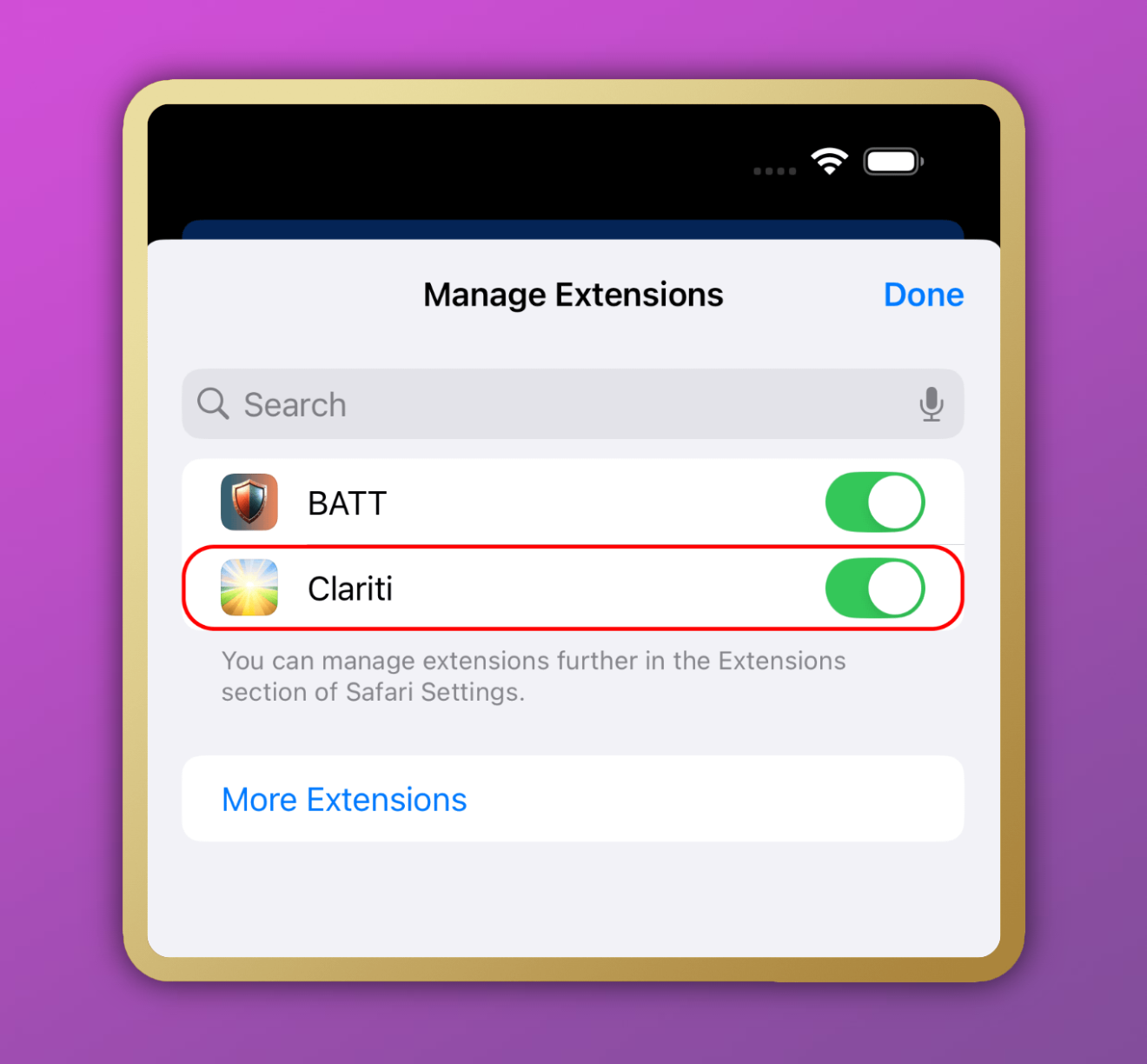
Setup is super simple! Either go into your device's Settings app, then Apps > Safari > Extensions > Clariti > and toggle it on for any profiles you have; or you can open Safari, tap the website settings or extensions icon, and enable content blockers from there. It's super easy, and you'll be spared the things you don't want to see in no time at all!
And that's it!
Just surf the web in Safari and you shouldn't see links and images for the words and phrases you've added.